

i-tec Passive DisplayPort to HDMI Adapter (max 4K/30Hz)
Login for pricing
In stock
SKU
DP2HDMI4K30HZ
Passive DisplayPort to HDMI Adapter (max 4K/30Hz)
- Plug & Play and price affordable DisplayPort to HDMI adapter
- Use only with DisplayPort ports marked "DP++"
- In the case of DisplayPort with DisplayLink, the maximum resolution will be 4K / 30 Hz (e.g., i-tec docking stations or video adapters with product number starting with CAxxxxxxxxx)
- In the case of a DisplayPort connection with Thunderbolt, the maximum resolution will be 4K / 30 Hz (e.g., i-tec docking stations or video adapters with a product number starting with TBxxxxxxxxx)
- In the case of DisplayPort with USB-C, the maximum resolution will be FHD (1080p) / 60 Hz (e.g., i-tec docking stations or video adapters with product number starting with C31xxxxxxxxx)
| Host interface | Displayport |
|---|---|
| Internal | No |
| Output interface | HDMI |
| SKU | DP2HDMI4K30HZ |
| EAN | 8595611706707 |
| Manufacturer | i-tec |
| Availability | In Stock |
| PDF URLs |
View PDF |
Extend your desktop with an external HDMI monitor via the DisplayPort port. This adapter supports a resolution of up to 4K/30 Hz and is suitable for use with all devices equipped with an DisplayPort++ port (NOTE: the adapter will not work if connected to a port not marked “DP++”) .
Using it is very simple: just plug the adapter into the DP port of your computer, connect it to your display using the HDMI connector, and you can start using it instantly. The driver is installed automatically from the system.
In the case of DisplayPort with DisplayLink, the maximum resolution will be 4K / 30 Hz (e.g., i-tec docking stations or video adapters with product number starting with CAxxxxxxxxx)
In the case of a DisplayPort connection with Thunderbolt, the maximum resolution will be 4K / 30 Hz (e.g., i-tec docking stations or video adapters with a product number starting with TBxxxxxxxxx)
In the case of DisplayPort with USB-C, the maximum resolution will be FHD (1080p) / 60 Hz (e.g., i-tec docking stations or video adapters with product number starting with C31xxxxxxxxx)
Using it is very simple: just plug the adapter into the DP port of your computer, connect it to your display using the HDMI connector, and you can start using it instantly. The driver is installed automatically from the system.
In the case of DisplayPort with DisplayLink, the maximum resolution will be 4K / 30 Hz (e.g., i-tec docking stations or video adapters with product number starting with CAxxxxxxxxx)
In the case of a DisplayPort connection with Thunderbolt, the maximum resolution will be 4K / 30 Hz (e.g., i-tec docking stations or video adapters with a product number starting with TBxxxxxxxxx)
In the case of DisplayPort with USB-C, the maximum resolution will be FHD (1080p) / 60 Hz (e.g., i-tec docking stations or video adapters with product number starting with C31xxxxxxxxx)
| Ports & interfaces | |
|---|---|
| Internal | No |
| Output interface | HDMI |
| Host interface | Displayport |
| Technical details | |
| Plug and Play | Yes |
| Performance | |
| Plug and Play | Yes |
| Product colour | Black |
| Colour | |
|---|---|
| Product colour | Black |
| Design | |
| Internal | No |
| Product colour | Black |
| Features | |
| Plug and Play | Yes |
| Weight & dimensions | |
| Width | 62 mm |
| Depth | 22 mm |
| Height | 12 mm |
| Weight | 11 g |
Write Your Own Review
We found other products you might like!
You may also be interested in
| Product |
Hot Product
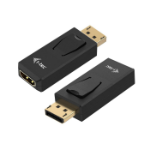
i-tec Passive DisplayPort to HDMI Adap...
Login for pricing
|
Popular
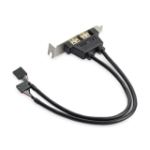
StarTech.com 2 Port USB A Female Low P...
Login for pricing
|
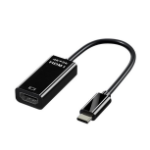 JLC HD42 4K Type C (Male) to HDMI (Fem...
Login for pricing
JLC HD42 4K Type C (Male) to HDMI (Fem...
Login for pricing
|
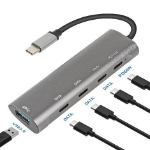 JLC TC44 5 Port Type C Adapter
Login for pricing
JLC TC44 5 Port Type C Adapter
Login for pricing
|
Bestseller
TP-Link UB500 Plus interface cards/ada...
Login for pricing
|

Recommended
JLC Type C GG21 V2 4 Port USB Hub 1.2M...
Login for pricing
|
|---|---|---|---|---|---|---|
| SKU |
DP2HDMI4K30HZ
|
USBPLATELP
|
JLCH42TC-HADP
|
JLCTC444PADP
|
UB500 PLUS
|
JLCGG21V2
|
| Manufacturer |
i-tec
|
StarTech.com
|
JLC
|
JLC
|
TP-LINK
|
JLC
|
| Output interface |
HDMI
|
USB 2.0
|
HDMI
|
N/A
|
Bluetooth
|
N/A
|
| Internal |
N
|
Y
|
N/A
|
Y
|
N
|
N/A
|
| Host interface |
Displayport
|
IDC
|
USB Type-C
|
USB Type-C
|
USB Type-A
|
N/A
|